

Website Management: How to Keep Your Site Running Smoothly
Most businesses focus heavily on building and launching their website.
But what happens after launch is what actually determines long-term performance.
Websites are not static assets. They require continuous updates, monitoring, and optimization to remain effective.
Without proper management, even a well-designed website can slow down, become vulnerable, and lose its ability to generate results.
What Is Website Management?
Website management is the ongoing process of maintaining, optimizing, and securing your website.
It includes:
- Performance monitoring
- Security updates
- Content updates
- Technical maintenance
- Continuous optimization
The goal is to ensure your website remains fast, secure, and aligned with your business objectives.
Why Website Management Matters More Than You Think
User expectations are constantly evolving.
Visitors expect:
- Fast loading times
- Seamless navigation
- Secure browsing experience
- Updated and relevant content
Search engines like Google also prioritize well-maintained websites.
Poor management can lead to:
- Lower rankings
- Higher bounce rates
- Security risks
- Lost conversions
So, What Does It Take to Keep a Website Running Smoothly?
Effective website management requires a structured approach.
It is not just about fixing issues when they arise.
It involves:
- Preventive maintenance
- Continuous monitoring
- Data-driven improvements
Below are the key areas every business should focus on.
1. Regular Updates and Maintenance
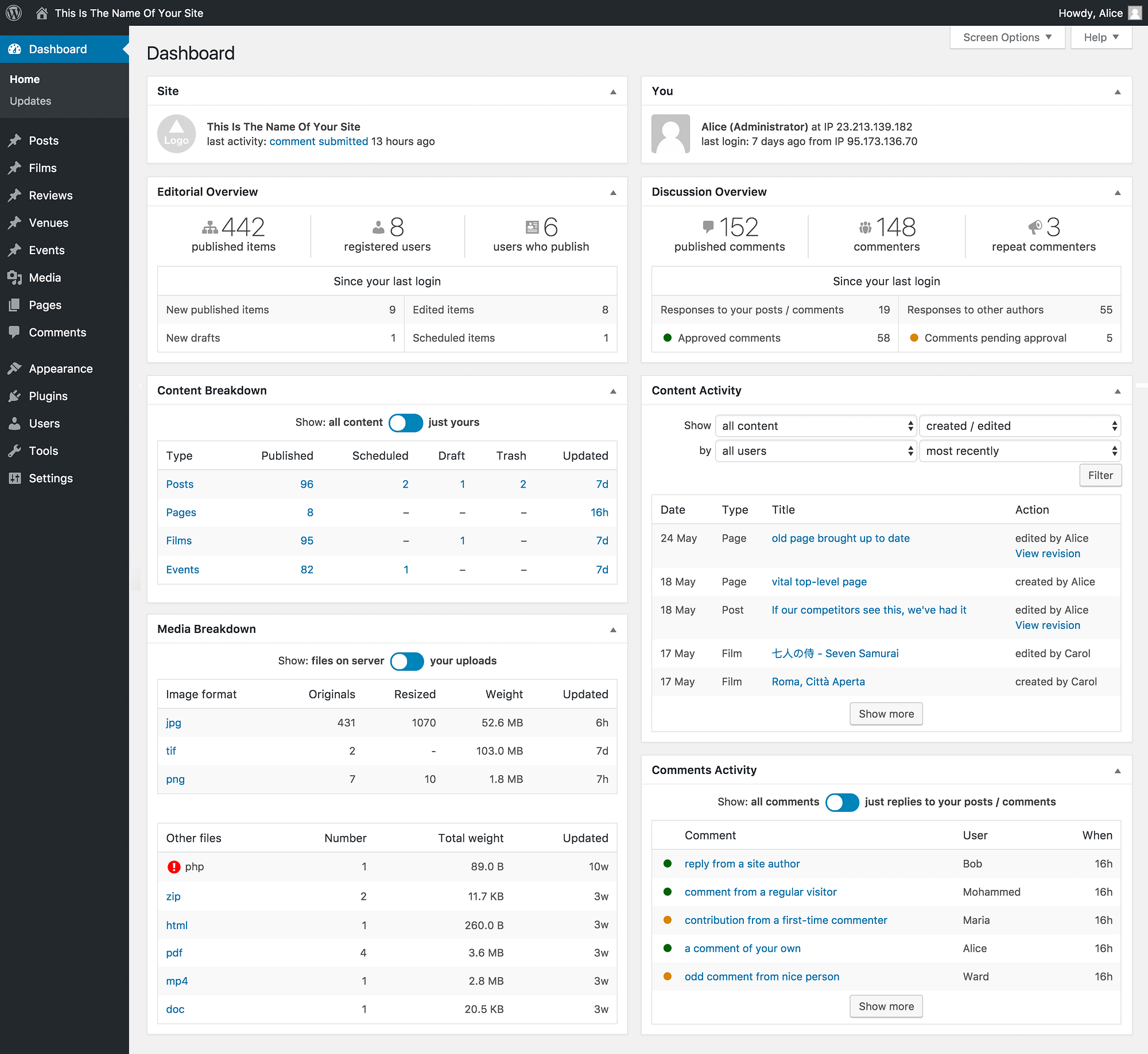
Websites rely on multiple components that require updates.
This includes:
- CMS updates such as WordPress
- Plugins and extensions
- Themes and design elements
Regular updates improve security, fix bugs, and enhance performance.
2. Monitor Website Performance
Performance directly impacts user experience and conversions.
You should monitor:
- Page load speed
- Uptime and downtime
- User behavior
- Traffic trends
Tools like Google Analytics help track performance and identify issues early.
3. Ensure Website Security
Security is one of the most critical aspects of website management.
Key practices include:
- Installing SSL certificates
- Using secure hosting
- Enabling firewalls
- Regular malware scans
- Strong password policies
A security breach can damage both data and brand reputation.
4. Backup Your Website Regularly
Backups protect your website from unexpected issues.
You should:
- Schedule automatic backups
- Store backups securely
- Test backup recovery
In case of failure or attack, backups allow quick restoration.
5. Optimize Content and SEO Continuously
Content should not remain static.
You should:
- Update existing pages
- Add new content regularly
- Improve keyword targeting
- Strengthen internal linking
SEO is an ongoing process that requires consistent effort.
6. Improve User Experience Over Time
User behavior changes over time.
You should:
- Analyze user journeys
- Simplify navigation
- Improve page layouts
- Reduce friction points
Small improvements can significantly increase conversions.
7. Monitor and Fix Technical Issues
Technical issues can impact performance and rankings.
Common issues include:
- Broken links
- Slow pages
- Mobile responsiveness problems
- Server errors
Regular audits help identify and fix these issues quickly.
8. Integrate and Maintain Tools
Modern websites rely on multiple integrations.
These may include:
- Analytics tools
- CRM systems
- Chat support
- Marketing automation
Keeping these tools updated ensures smooth operation.
Common Mistakes to Avoid
- Ignoring updates and maintenance
- Not monitoring performance
- Weak security practices
- Lack of backups
- Treating the website as a one-time project
Avoiding these mistakes helps maintain long-term performance.
Is Website Management Worth the Effort?
Yes.
A well-managed website:
- Maintains performance
- Reduces risks
- Improves user experience
- Supports business growth
Consistent management ensures your website continues to deliver results.
How Markit Media Helps You Manage and Optimize Your Website
Website management requires ongoing attention and expertise.
At Markit Media, we focus on:
- Continuous monitoring and performance tracking
- Security updates and protection
- Technical maintenance and optimization
- SEO and content improvements
- Conversion-focused enhancements
The goal is to keep your website running efficiently while supporting business growth.
Frequently Asked Questions
What is website management?
It is the ongoing process of maintaining, updating, and optimizing a website.
How often should a website be updated?
Updates should be done regularly, depending on content and technical requirements.
Why are backups important?
They protect your website from data loss and allow quick recovery.
Do I need professional website management?
Yes, especially for business websites that require consistent performance and security.
In This Article
- Launching a Website Is Just the Beginning
- What Is Website Management
- Why Website Management Matters
- Regular Updates and Maintenance
- Performance Monitoring
- Website Security
- Backup Strategies
- Content and SEO Optimization
- User Experience Improvements
- Technical Issue Management
- Tool Integration and Maintenance
- Common Mistakes to Avoid
- Is Website Management Worth It
- How Markit Media Helps